 palmER
Searching palmEM AI.
Find emergency medicine answers instantly with palmEM AI’s intelligent search - fast, flexible, and designed for bedside care.
Search is one of the most powerful features in palmEM AI. When you need information fast - during a resuscitation, while managing multiple patients, or when double-checking a medication dose - search gets you there in seconds.
How to Access Search
There are two ways to access search in palmEM AI:
- Tap the search bar at the top of the home screen
- Tap the Search icon in the bottom navigation bar
Both bring up the search interface where you can start typing immediately.
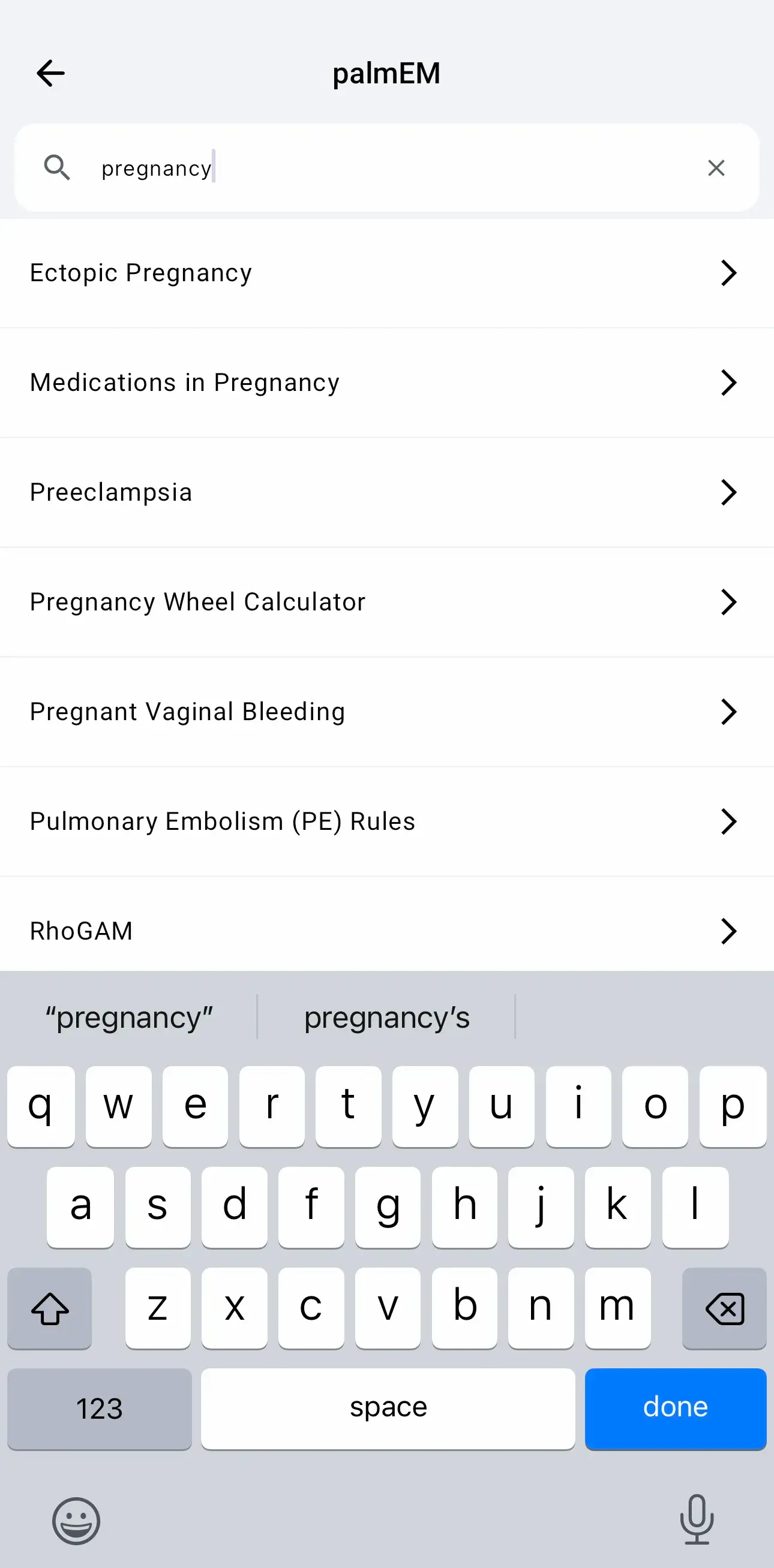
Search Works Offline
Once you've downloaded palmEM AI content, search works completely offline. No internet required - perfect for rural EDs, during network outages, or in areas with poor connectivity.
Search across all downloaded content even when you're completely offline.
Can't Find What You're Looking For?
If search isn't returning what you expect:
- Try a synonym - Different clinical terms for the same concept
- Use an abbreviation - Sometimes abbreviations match better
- Try a more general term - Then browse the results
- Use the AI Assistant - Ask your question in plain language instead
The AI Reference can answer specific clinical questions even if the exact topic doesn't exist as a standalone article.
Use both together for maximum efficiency in your clinical practice.